What Does Double Din Mean in Car Stereos: Explained
Title: What Does Double DIN Mean in Car Stereos? A Clear Guide (Dimensions, Features, Installation & Buying Tips)
Meta description: Double DIN refers to a car stereo size—about 100 mm tall by 180 mm wide—that allows larger touchscreens, Apple CarPlay/Android Auto, navigation and backup camera support. Learn dimensions, differences vs Single DIN, installation tips, costs, recommended brands, and how to pick the right double DIN head unit for your car.
Intro
If you’ve ever shopped for a new car stereo, you’ve probably asked: “What does Double DIN mean?” In short: it’s a size standard for car head units that gives you extra height for bigger screens and more features. This guide explains the DIN sizes, why the standard exists, the real differences between Single and Double DIN, installation and compatibility tips, cost expectations, product recommendations, and practical buying advice—written plainly so you can decide with confidence.
What “Double DIN” Means (Simple)
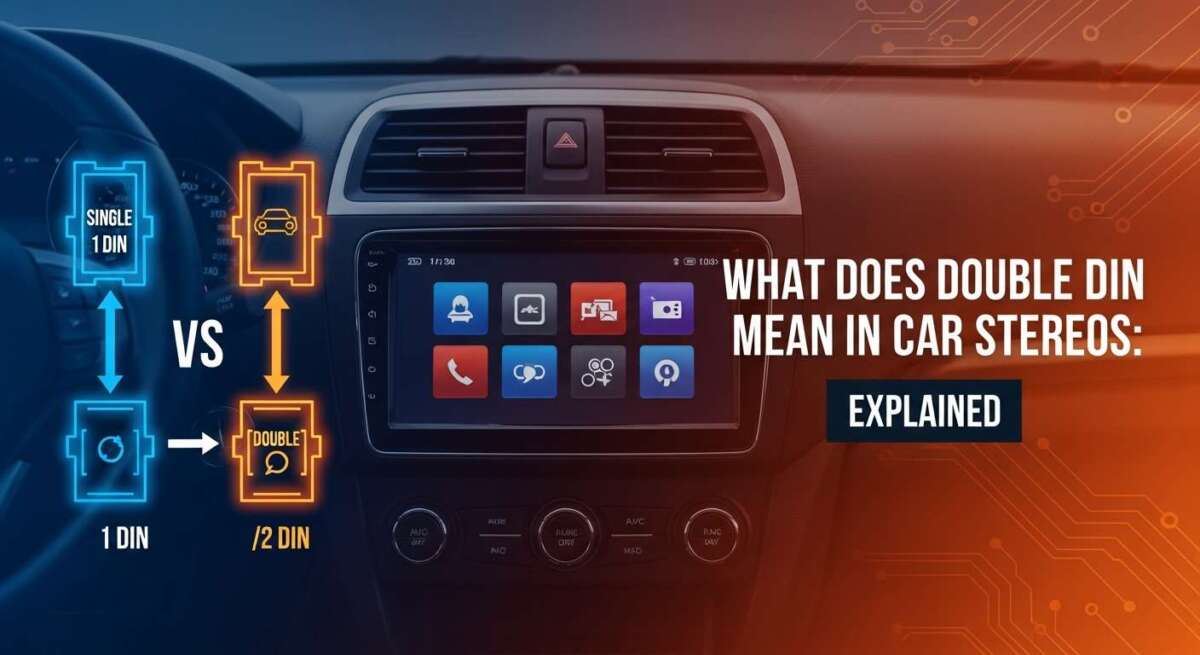
- Double DIN = standard car stereo size that’s twice as tall as Single DIN.
- Dimensions (ISO standard):
- Single DIN: ~50 mm tall (1.97 in)
- Double DIN: ~100 mm tall (3.94 in)
- Both: ~180 mm wide (7.09 in)
- That extra height is what lets manufacturers put large touchscreens, map displays, easy menus, and camera inputs into a single unit.
Why the DIN Standard Exists
- Before the standard, radios came in many sizes and often required custom dash work.
- The DIN (Deutsches Institut für Normung) standard makes stereos fit many cars more easily.
- Benefits: easier installation, more aftermarket choice, predictable dash compatibility.
Single DIN vs Double DIN: What Really Changes
Visual/size:
- Single DIN = single slot, mostly buttons/knobs.
- Double DIN = two-slot height, usually a touchscreen or large display.
Feature differences: - Single DIN: basic radio, simple controls, limited displays.
- Double DIN: touchscreens, Bluetooth, hands-free calling, Apple CarPlay/Android Auto, GPS navigation, backup camera support, richer audio tuning options.
Practical takeaway: If you want smartphone integration and navigation, Double DIN is almost always better.
Common Double DIN Features That Matter
- Touchscreen displays (capacitive screens on modern units)
- Bluetooth audio and hands-free calling
- Apple CarPlay and Android Auto (wired or wireless)
- Built-in navigation or phone-mapped navigation
- Backup camera input and front/rear camera support
- Advanced EQ, time alignment, and audio tuning
- USB ports, HDMI/AUX inputs, and sometimes wireless charging
Compatibility: Is a Double DIN Unit Right for Your Car?
Checklist before you buy:
- Measure your dash opening (height, width, depth). Confirm it’s ~100 mm tall and 180 mm wide or that a dash kit can adapt the area.
- Check for factory features: steering wheel controls, vehicle CAN-bus integration, climate controls that might be tied into the factory head unit.
- Determine if you’ll need adapters: wiring harness, dash kit, steering-wheel control adapter, CAN bus interface, backup camera adapter.
- Confirm depth clearance behind dash—some head units are deep and can hit HVAC ducts or brace supports.
Installation Options: DIY vs Professional
DIY may be fine if:
- You’re comfortable with basic wiring.
- You have the correct dash kit and wiring harness.
- You have patience and a good guide or video.
Professional install is recommended when: - Your car uses CAN-bus or complex factory electronics.
- You want steering wheel controls, factory mic integration, or OEM camera retention.
- Cost expectations:
- Head units: budget $80–$200, mid-range $200–$500, high-end $500+
- Professional installation: $50–$200+ depending on complexity and needed adapters
Practical Prep: What I Learned (Short Stories)
- First upgrade: the touchscreen and big icons made phone integration and navigation instantly easier and safer.
- Second install: forgetting a small adapter (CAN or harness) stopped the project—always inventory parts before starting.
Lesson: preparation (dash kit, wiring harness, adapters) matters more than confidence.
Common Beginner Mistakes and How to Avoid Them
- Buying the wrong size—measure first.
- Skipping a dash kit or harness—don’t try to force-fit.
- Ignoring wiring harness/adapters for steering wheel controls or CAN bus.
- Overpaying for features you won’t use—focus on what you’ll actually need (Bluetooth, CarPlay, or audio tuning).
How to Choose the Best Double DIN Stereo for You
Consider these decision points:
- Budget: prioritize core features (Bluetooth, sound quality) on a tight budget.
- Phone integration: Apple CarPlay/Android Auto—wired vs wireless.
- Screen: size and resolution matter for navigation readability.
- Audio tuning: built-in EQ, pre-outs (for amps), and time alignment for sound upgrades.
- Brand reliability: Pioneer, Kenwood, Sony, Alpine, JVC are consistently recommended.
Examples: - Budget pick: basic CarPlay/Android Auto model from JVC or Pioneer.
- Mid-range: Pioneer/Kenwood with advanced tuning and good screen.
- Premium: Alpine/Pioneer top-models with multi-zone tuning and high-res displays.
Future Trends to Watch
- Larger, clearer touchscreens even at lower price points.
- Better voice control and deeper phone integration (less touch needed).
- Wireless CarPlay/Android Auto becoming standard.
- OEM+ integration (aftermarket units that more closely mimic factory features).
Are Double DIN Units Worth the Cost?
Yes if you drive regularly and want:
- Safer interactions with phone/audio/navigation
- Improved convenience (hands-free, streaming)
- Feature longevity (phone integration and navigation keep units useful)
If you only want a basic radio and occasional audio upgrades, a Single DIN might be enough.
SEO & Content Extras (for publishing)
Suggested primary keyword: what does double DIN mean in car stereos
Other keywords/phrases to include: double din car stereo, double din head unit, double din dimensions, double din vs single din, install double din stereo, best double din stereo
Suggested slug: what-does-double-din-mean-car-stereos
Meta description (use the one at top)
Suggested H1: What Does Double DIN Mean in Car Stereos? (Dimensions, Features & Buying Guide)
Suggested image alt text:
- single-vs-double-din-dashboard.jpg — "Single DIN vs Double DIN car stereo comparison showing dimensions"
- double-din-touchscreen.jpg — "Double DIN car stereo touchscreen with Apple CarPlay"
Structured data suggestion: Add FAQ schema for the FAQ section below to increase rich result chances.
FAQs (SEO-friendly short answers)
- What does Double DIN mean in car stereos?
- A Double DIN is a standardized car stereo size about 100 mm tall by 180 mm wide that allows bigger displays and advanced features.
- Can I install a Double DIN stereo in any car?
- Not always by default; many cars can be adapted with a dash kit, wiring harness and adapters. Measure your dash and check compatibility first.
- Is Double DIN better than Single DIN?
- Double DIN is better if you want a touchscreen, navigation, or phone integration. Single DIN is fine for simple audio setups.
- How much does installation cost?
- Head unit price ranges roughly $80–$500+, and professional installation typically runs $50–$200+ depending on complexity and adapters.
- Do Double DIN units improve sound quality?
- Sound quality depends on the unit’s electronics and speakers. Many Double DIN models offer better audio controls and outputs for upgrades.
Quick Call-to-Action
Measure your dash, list the features you actually want (Bluetooth, CarPlay, backup camera), and then compare a shortlist of models from Pioneer, Kenwood, Sony, Alpine, or JVC. If you’re unsure about wiring or CAN-bus integration, get a compatibility check from a pro installer before buying.
If you want, I can:
- Create a short product comparison table for 3–5 recommended double DIN units at different price points
- Draft the FAQ JSON-LD for your site
- Write a concise installation checklist you can paste into your product pages
Which of those would you like next?