

Save cars in GTA 5 Story Mode by parking them in a safehouse garage and saving your game afterward.
Learning how to save cars in GTA 5 Story Mode can prevent hours of frustration. The game treats garages like secure storage, but it also has limits and rules that are easy to miss. This guide explains where to store cars, how to protect rare vehicles, what causes cars to disappear, and how to recover an impounded vehicle.
How to Save Cars in GTA 5 Story Mode
The safest way to save a car in GTA 5 Story Mode is to park it inside a character’s garage. A garage can belong to Michael, Franklin, or Trevor, or it can be a property garage that you purchase during the game.
Follow these steps:
- Find a safehouse or owned garage.
- Drive the car fully inside the garage.
- Leave the vehicle parked and exit the garage.
- Save the game manually through the phone or by sleeping at a safehouse.
- Reload the save if you want to confirm that the car remains there.
The garage door must close before you consider the car stored. If the vehicle is left on the driveway or street, it may vanish when you change characters, start a mission, or move far away.

Where to Store Cars in GTA 5 Story Mode
Each main character has access to storage locations. These garages are the main answer to how to save cars in GTA 5 Story Mode.
Michael’s garages
Michael can store vehicles at his home in Rockford Hills. His house garage is useful for keeping extra cars, but its capacity is limited. Do not treat it as unlimited storage.
Michael can also access other garages after certain properties or game features become available. Always check the garage space before leaving another car inside.
Franklin’s garages
Franklin’s safehouses have garages that can store vehicles. His home changes during the story, so the garage location may change as well.
Franklin can also purchase a vehicle garage later in the game. This is helpful if you enjoy collecting sports cars, muscle cars, or customized vehicles.
Trevor’s garages
Trevor can store vehicles at his trailer and other available properties. His garages are useful for keeping off-road vehicles, trucks, and unusual cars found around Blaine County.
Trevor’s desert location also makes it easier to collect vehicles such as dune buggies, military-style trucks, and motorcycles.
Purchased garages
Some properties provide extra vehicle storage. These garages usually appear as property icons or garage markers on the map after you buy them.
Purchased garages are often better for collectors because they give you a dedicated place to keep cars. Still, storage space is not endless, so check how many vehicles the garage can hold.
Step-by-Step Method to Save a Stolen Car
You do not need to buy every car in GTA 5 Story Mode. You can save many street vehicles by taking them to a garage and parking them correctly.
Use this method:
- Steal or find the vehicle you want.
- Drive it to the active character’s safehouse garage.
- Enter slowly and park inside the marked area.
- Wait for the garage door to close.
- Exit the garage on foot.
- Save the game.
- Return to the garage later and check the vehicle.
This method works best with standard street cars. Rare vehicles can be less reliable because some are tied to missions, random events, or special game spawns.
A useful habit is to save before collecting a valuable car. If the vehicle disappears, you can reload the earlier save instead of losing it forever.

How to Save Customized Cars
Customization does not always make a car permanently safe. A vehicle may have a new paint color, wheels, armor, or performance upgrades, but it can still disappear if you leave it on the street.
To protect a customized car:
• Park it inside the correct garage.
• Make sure the garage door closes.
• Leave the area without taking another vehicle.
• Create a manual save.
• Avoid starting a mission immediately afterward.
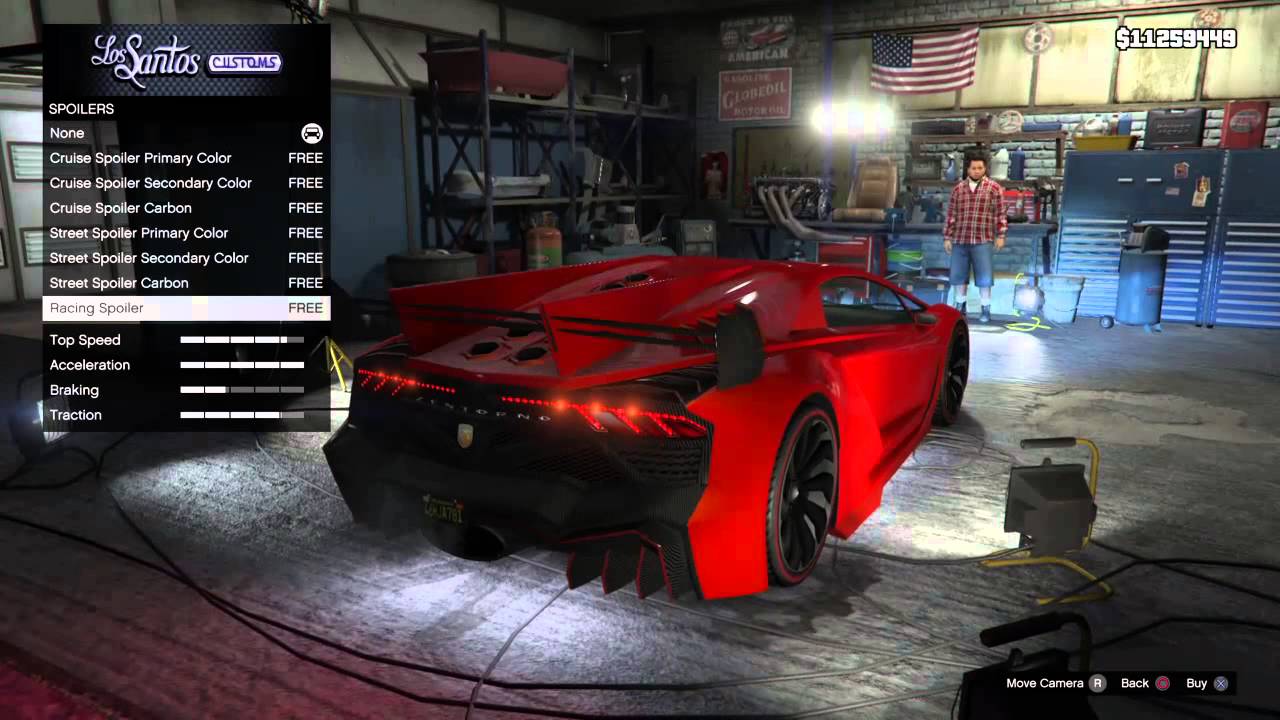
If you customize a car at Los Santos Customs, drive it straight to a garage. Do not leave it outside the repair shop while you continue playing.
I have found that the biggest mistake players make is assuming that a modified car is automatically saved. In GTA 5 Story Mode, customization and storage are separate systems. The upgrade changes the car, while the garage protects its location.
How Many Cars Can You Store?
Garage capacity depends on the location and the character. Safehouse garages usually hold only a small number of vehicles, while some purchased garages provide more room.
The exact capacity can vary by property and game version. For that reason, treat every garage as limited storage rather than assuming it can hold an entire collection.
Keep your best vehicles in the safest spaces:
• Rare cars
• Fully customized vehicles
• Mission reward vehicles
• High-performance sports cars
• Hard-to-find motorcycles
If a garage is full, the game may replace, move, or fail to store another vehicle. This is one reason cars sometimes seem to disappear. Before adding a new car, move less important vehicles to another garage or decide which one you no longer need.

How to Save Cars Without Losing Them
Knowing how to save cars in GTA 5 Story Mode is only half the process. You also need to avoid actions that make the game forget or replace a vehicle.
Use these reliable habits:
• Save after parking the car.
• Keep one or two empty garage spaces.
• Do not leave a valuable vehicle near a mission start point.
• Avoid switching characters before storing the vehicle.
• Do not use a stored car as a temporary getaway vehicle during a mission.
• Check the garage after completing a major mission.
• Use separate save slots for rare vehicles.
Manual saves are especially useful. Press the phone button, open the save option, and choose a slot. You can also sleep at a safehouse to create a save, although sleeping advances time.
Using several save slots works like keeping backup files on a computer. If something goes wrong, you can return to an earlier point without restarting the whole story.

Why Cars Disappear in GTA 5 Story Mode
Even when you understand how to save cars in GTA 5 Story Mode, vehicles can sometimes vanish. This usually happens because of storage limits, mission behavior, or game rules.
Common causes include:
The car was not inside the garage
Parking near the garage is not enough. The vehicle must be fully inside, and the door should close before you leave.
The garage was full
A full garage may not accept another car. The game can also replace a stored vehicle in some situations.
The vehicle was part of a mission
Some mission cars are temporary. After the mission ends, the game may remove them from the world.
You switched characters too soon
Character switching can reload parts of the map. Any unprotected vehicle left outside may be removed.
The game was not saved
If you quit, reload, or experience a crash before saving, recent vehicle changes may be lost.
The car was destroyed
A stolen or customized vehicle may not return after being destroyed. Personal character vehicles work differently and often reappear, but ordinary stored cars are not always protected in the same way.

How to Recover a Missing Car
If a car disappears, do not assume it is gone immediately. Check the most likely recovery points first.
- Visit the garage where you stored it.
- Check the other garages owned by that character.
- Look for the impound lot near the police station.
- Switch to the character who owned or stored the vehicle.
- Load an earlier manual save.
- Check whether a mission replaced or removed the vehicle.
The impound lot can recover some abandoned personal vehicles. However, it does not guarantee the return of every stolen or customized car.
If you cannot find the vehicle in a garage or impound lot, loading an earlier save is usually the most reliable solution. This is why saving before and after collecting rare cars is so valuable.

How to Save Personal Vehicles
Michael, Franklin, and Trevor each have personal vehicles. These cars are treated differently from ordinary stolen vehicles.
A character’s default personal vehicle usually returns after being destroyed or left somewhere. For example, Franklin’s personal car and Trevor’s truck often return to their usual locations. Even so, you should not depend on this behavior for every vehicle.
To keep a personal vehicle safe:
• Return it to the character’s home.
• Park it in the home garage when possible.
• Avoid abandoning it during missions.
• Save after making upgrades.
• Do not replace it with another vehicle unless you understand the storage risk.
Personal vehicles are more reliable than random street cars, but they are not a complete substitute for a garage. If you care about a vehicle, store it and save the game.

Best Cars to Save in Story Mode
The best cars to save depend on how you play. Some players want speed, while others prefer rare designs or useful off-road ability.
Good vehicles to keep include:
• High-end sports cars for fast travel
• Muscle cars for racing and style
• Off-road trucks for mountain areas
• Motorcycles for quick movement through traffic
• Armored vehicles for combat situations
• Rare random-event vehicles
• Cars with expensive Los Santos Customs upgrades
A fast car is not always the best collection choice. A rare vehicle that is difficult to find again may be more valuable than a common supercar.
When I plan a vehicle collection, I keep one garage for practical cars and another for rare finds. This simple system makes it easier to know where each vehicle belongs and prevents accidental replacement.
Tips for Garage Management
Good garage management makes how to save cars in GTA 5 Story Mode much easier. Think of each garage as a small parking lot with a strict manager. Once it reaches capacity, something may have to leave.
Use these tips:
- Keep rare vehicles in a dedicated garage.
- Leave at least one empty slot when possible.
- Avoid storing similar cars unless you truly want both.
- Save before moving vehicles between garages.
- Keep a written list or screenshot of your favorite cars.
- Use different characters for different vehicle types.
- Test a new garage with a common car before storing something rare.
Do not fill every space with vehicles you do not care about. A nearly empty garage gives you room to react when you find a rare car during a random event.
Story Mode Saving Compared With GTA Online
GTA 5 Story Mode and GTA Online handle vehicles in different ways. In Story Mode, garages, safehouses, character ownership, and manual saves control most vehicle storage.
GTA Online uses a more persistent ownership system. Cars are linked to online garages, insurance, and player accounts. These systems do not work the same way in the single-player campaign.
This difference causes confusion for many players. Advice about insurance, personal vehicle replacement, and online garages may not apply to Story Mode.
If you are playing the campaign, focus on safehouse garages, purchased garages, impound locations, and manual save slots. Those are the systems that matter when learning how to save cars in GTA 5 Story Mode.
Common Mistakes to Avoid
A few simple mistakes can ruin a carefully built car collection.
Avoid these errors:
• Leaving a rare car outside overnight
• Starting a mission before saving
• Parking in front of the garage instead of inside it
• Filling every garage slot with common cars
• Switching characters before securing the vehicle
• Overwriting your only save file
• Assuming Los Santos Customs provides long-term storage
Los Santos Customs can repair and customize cars, but it is not a permanent vehicle storage service. After visiting the shop, take the car to a safe garage and save your progress.
It is also wise to keep a backup save before major story missions. Some missions change the world, move characters, or affect which properties are available.
Frequently Asked Questions About How to Save Cars in GTA 5 Story Mode
Can you save stolen cars in GTA 5 Story Mode?
Yes, you can save many stolen cars by parking them inside a safehouse or purchased garage. The car must be fully inside the garage, and you should save the game afterward.
Why did my saved car disappear in GTA 5 Story Mode?
A car may disappear because it was left outside, the garage was full, or a mission removed it. Check other garages and the impound lot, then load an earlier save if necessary.
Do customized cars stay saved in Story Mode?
Customized cars can stay saved when you park them in a garage and save the game. Customization alone does not guarantee that the vehicle will remain available.
Can you save cars at Los Santos Customs?
No, Los Santos Customs repairs and customizes vehicles but does not act as permanent storage. Drive the car to a safehouse or owned garage after customizing it.
Do personal vehicles return after being destroyed?
Many default personal vehicles return to their normal locations after being destroyed or abandoned. Other stolen or customized vehicles may not return, so garage storage and manual saves remain safer.
How do you find an impounded car in Story Mode?
Visit the impound lot near a police station and check whether the vehicle is available. Some abandoned personal vehicles appear there, but not every missing car can be recovered.
Can each character save cars in a different garage?
Yes, each character can use garages linked to their safehouses and available properties. Keep track of which character owns each garage to avoid confusion.
Conclusion
The most reliable way to save cars in GTA 5 Story Mode is simple: park the vehicle fully inside a safehouse or purchased garage, wait for the door to close, and save your game. Keep garages organized, leave room for rare finds, and check the impound lot before deciding that a vehicle is gone.
Customized cars, stolen cars, and rare vehicles all need extra care. Use separate save slots and create backup saves before major missions. Now that you know how to save cars in GTA 5 Story Mode, build your collection carefully and share your favorite vehicle-saving tips in the comments.